
Invitations
Grow Your Network
Creating and Sharing Invitations
Invitations are created from the Timeline View by tapping on the "+" to the right of the friends.
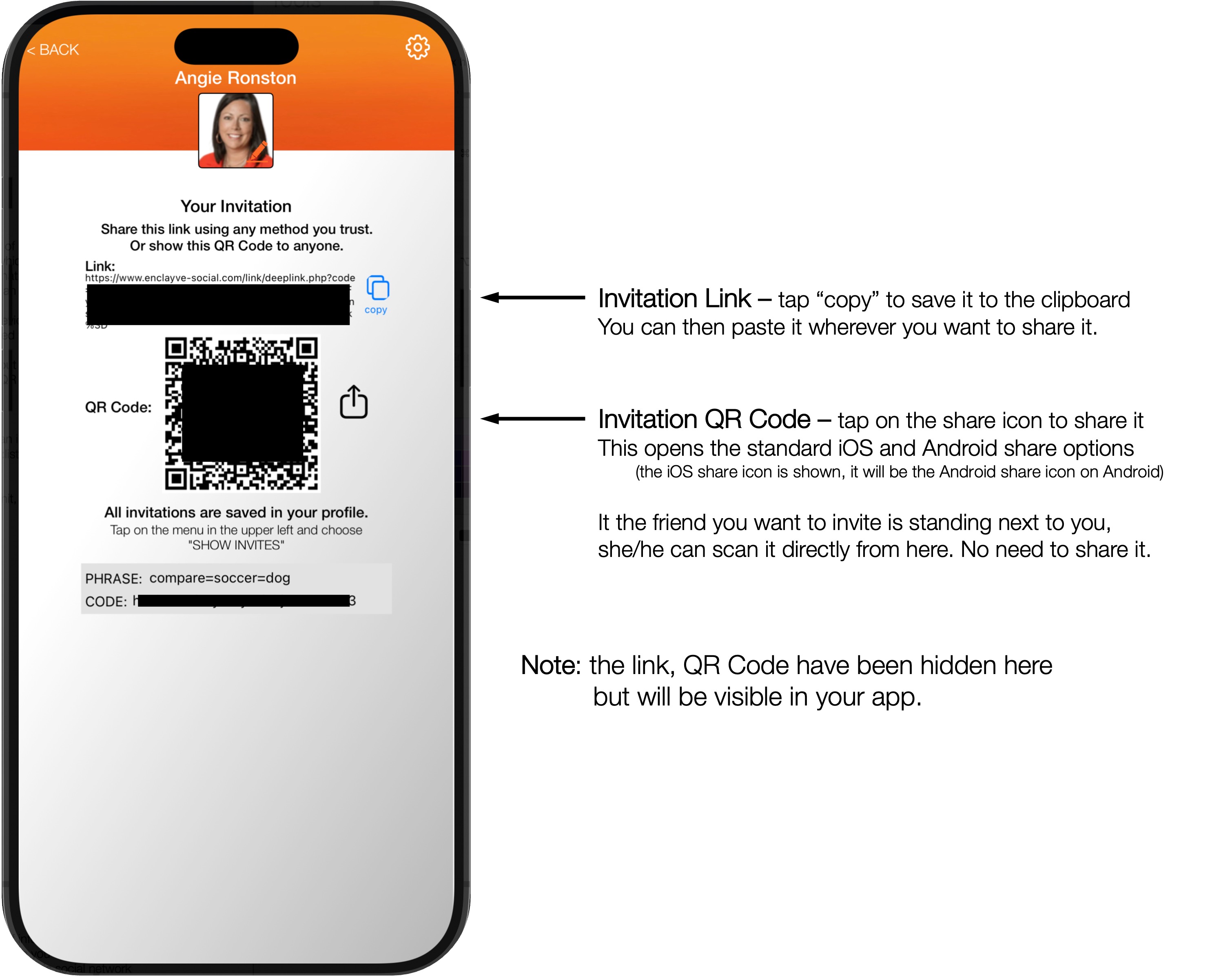
An invitation is a link and a QR Code which you share with your friends. Every invitation is an invitation to the currently selected group. When an invitation is accepted, that person is added to that group only.
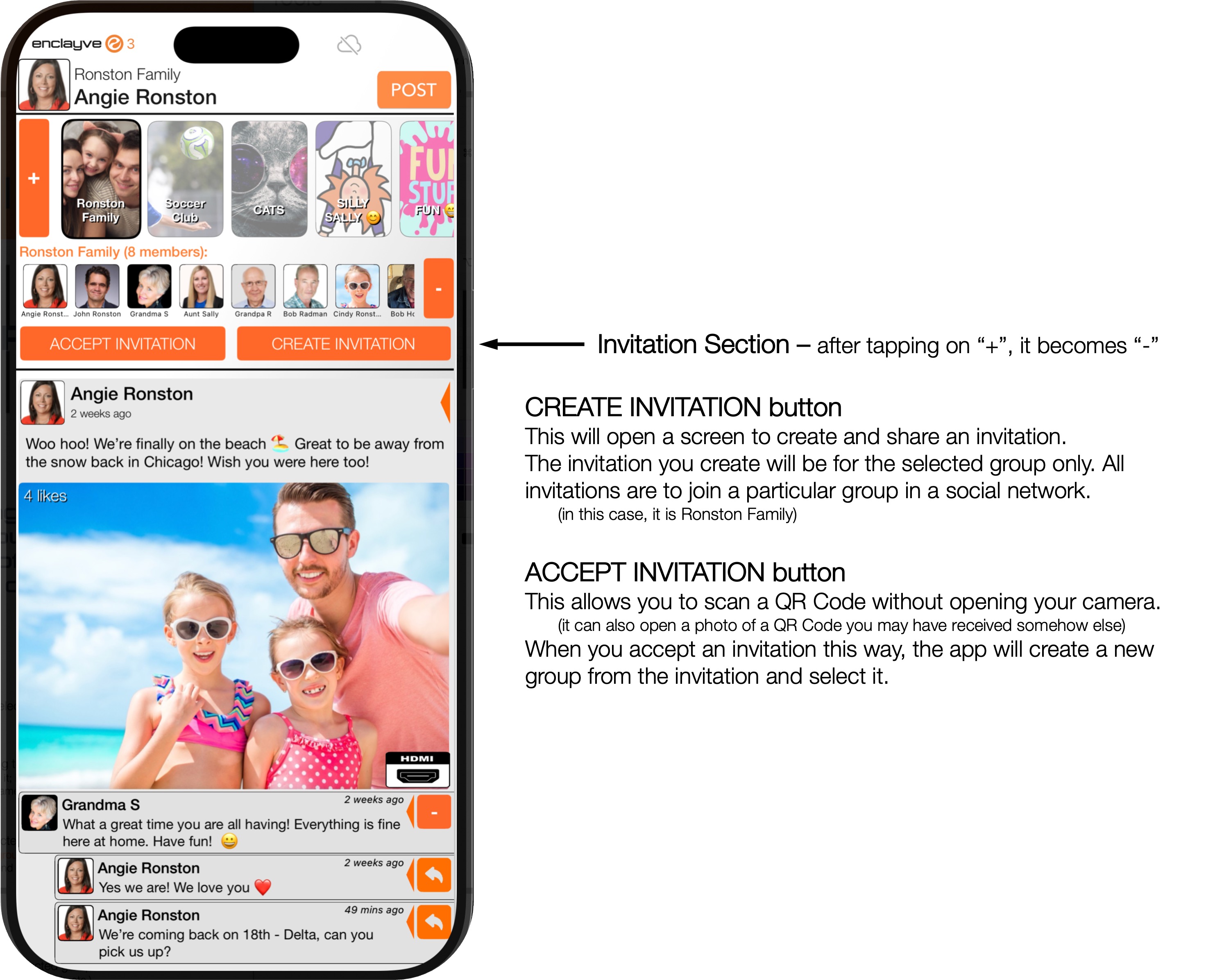
Tap on CREATE INVITATION
This creates an invitation to join the currently selected group, and the following view appears:
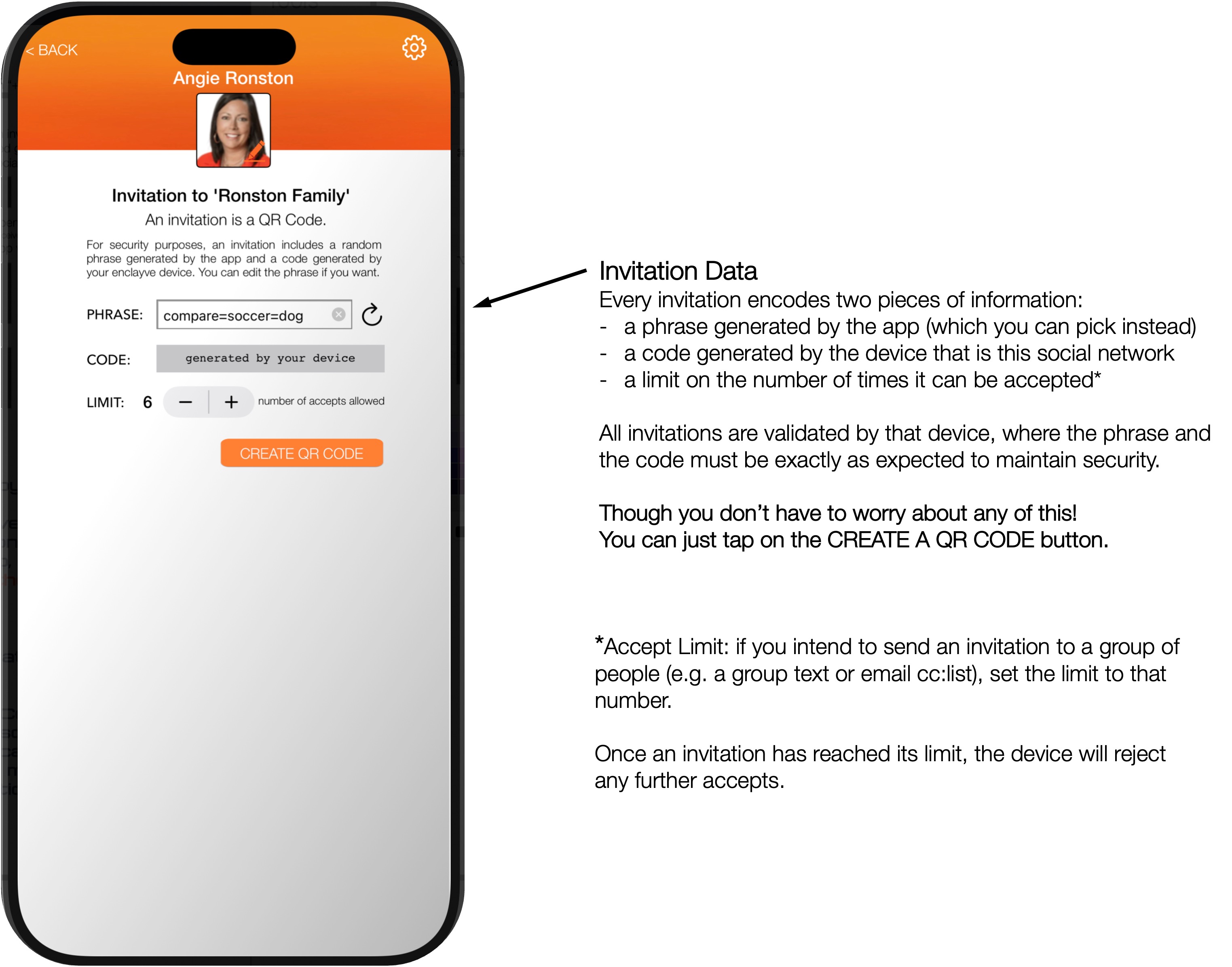
Tap on CREATE A QR CODE
The app and the device will grind through some fancy math and the final result appears: