

App Usage
For everyone
A tour of the app
Timeline View
This is the primary view where everything happens in a familiar endless scrolling concept. The timeline shown is for the currently selected group. Selecting a different group changes the timeline to that group. All content is posted from this view and is posted to the currently selected group.
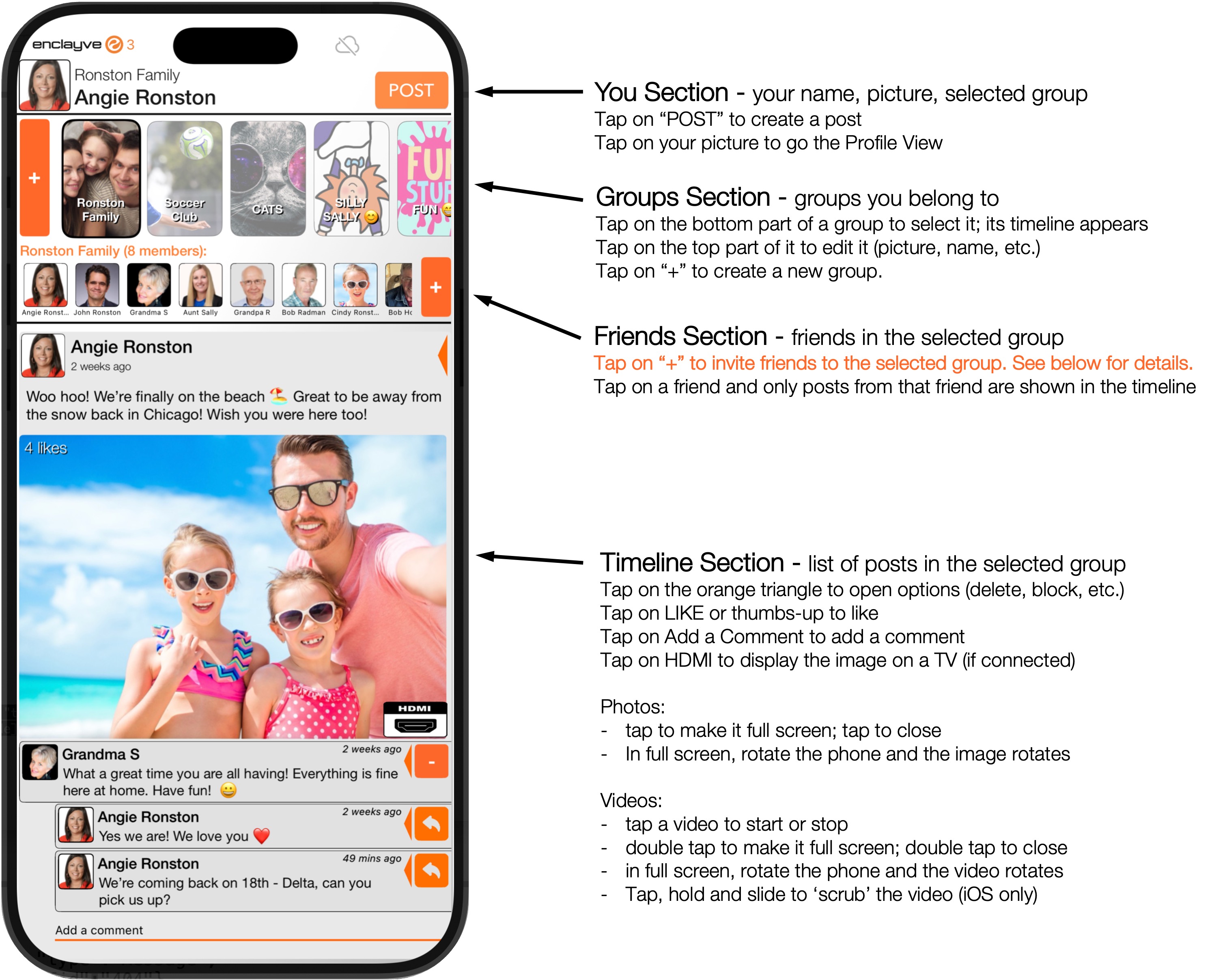
HDMI button: Some posts have an HDMI button (e.g. in the screenshot above). When tapped, the image will be displayed on the TV connected to your enclayve device's HDMI Port. NOTE: not all images or videos can be displayed on the HDMI port, so the HDMI button will not appear on all posts.
Posting Content:
The POST button in the upper right allows you to post a photo or video already on your phone, or take a photo or video to post, or simply post a block of text. Every post goes into the timeline of the currently selected group.
Inviting someone to your network:
Everyone who joins your network must be invited by you. Every inviiation is an invitation to a group, so when someone accepts your invitation they join that group only. To invite the same person to multiple groups, you must send an invitation for each group. Invitations are created in this view, which become invitations to the currently selected group.
An invitation is a link and a QR Code, which you can share using any method you trust, including any of the standard iOS and Android share methods (e.g. text, airdrop, DM, etc.) as well directly scanning the QR Code or tapping on the link.
Accepting an invitation:
All invitations will eventually open the enclayve app, so you must have installed the enclayve app to accept an invitation. You scan the QR Code or tap on the link you received; it opens the enclayve app, validates its authenticity, and shows the details of the invitation. You can accept or reject it.
Detailed instructions for creating and sharing invitations >
Profile View
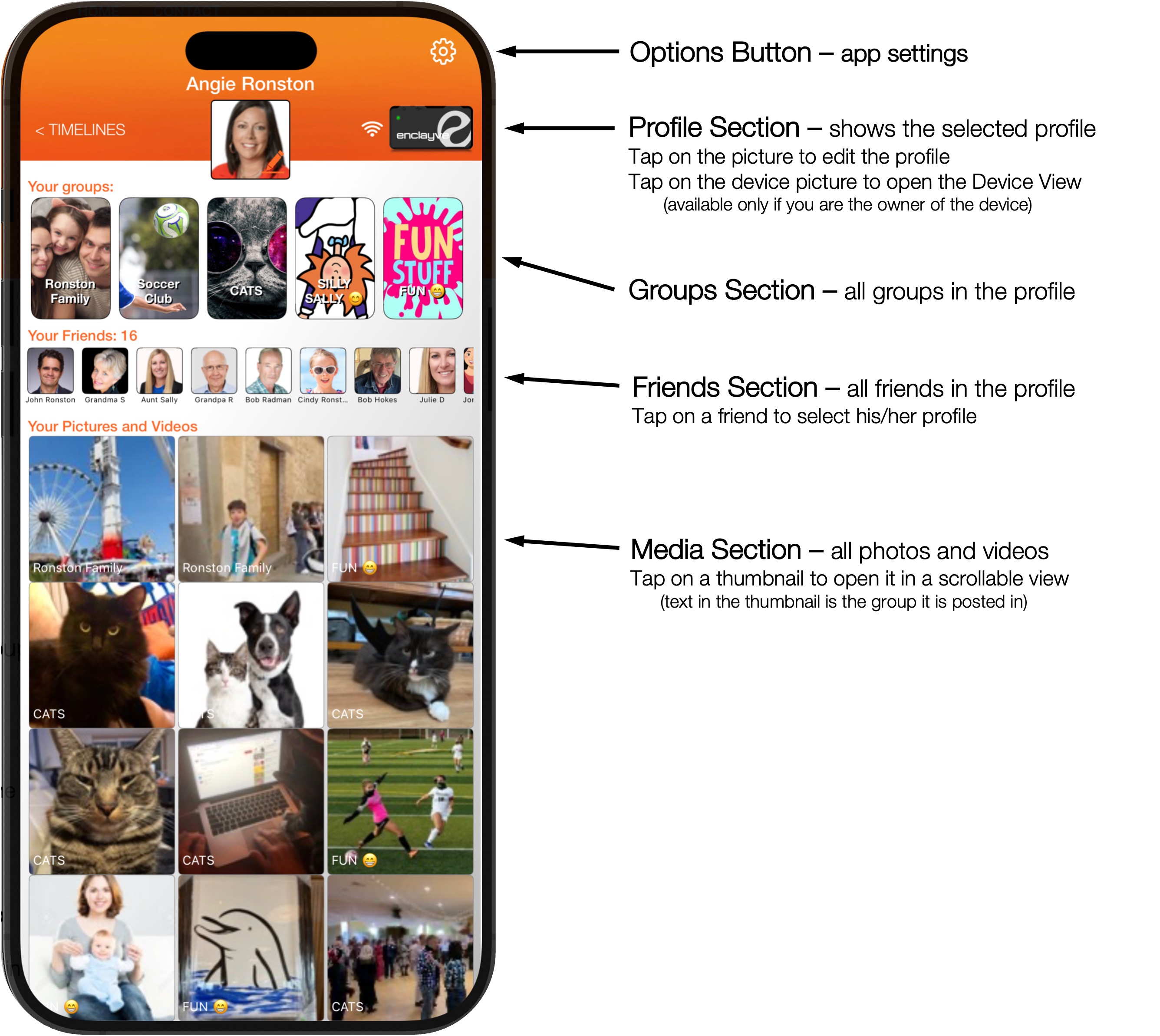
This is view of any profile, where you edit your profile and view your invited friend's profiles. All photos and videos are avaialble here in a left-right full-screen scrolling concept. Tap on any thumbnail to begin scrolling through them.
Device View (device owner only)
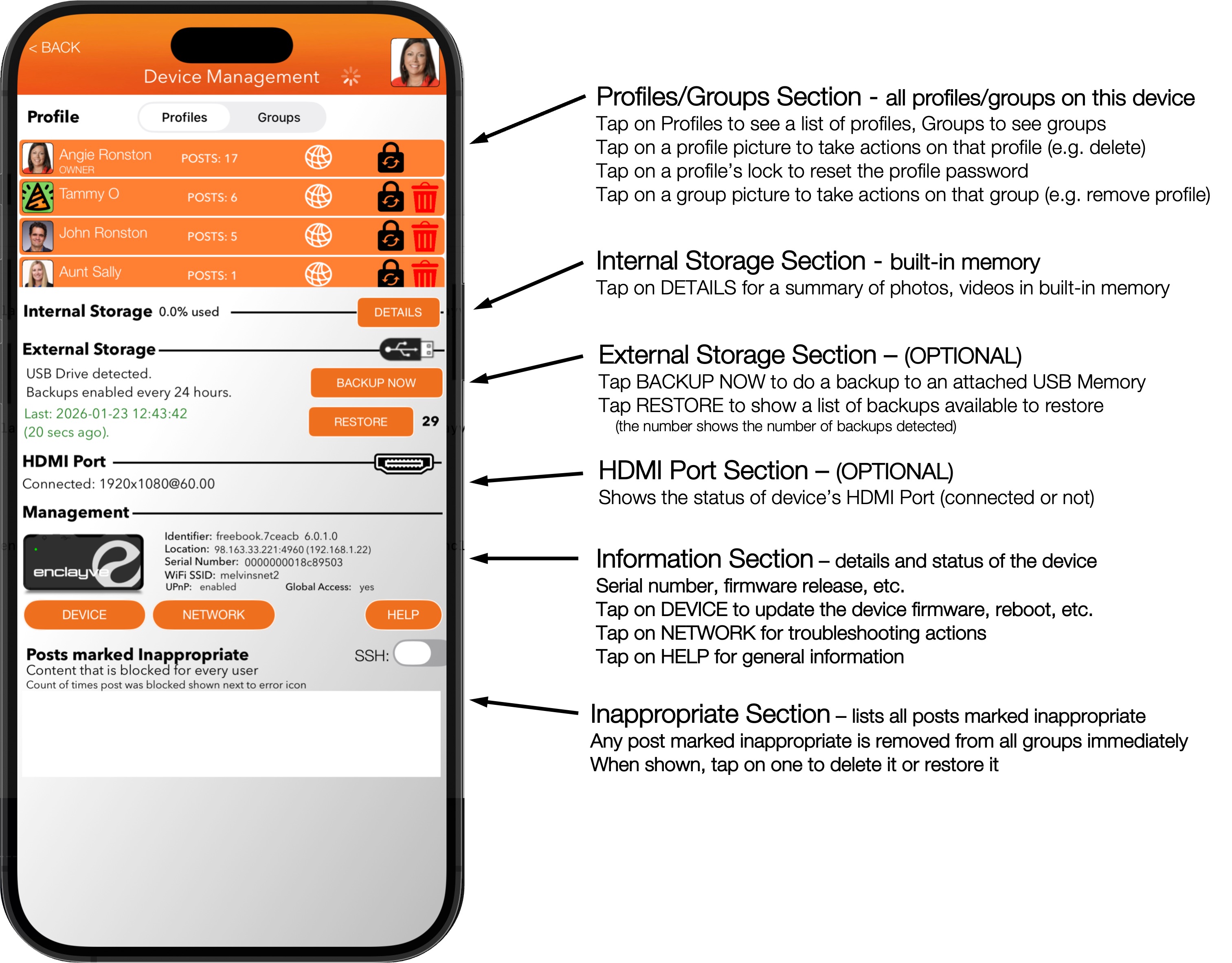
If you own a device, you own all content, profiles, comments and messages on the device. You have the ability to delete anything or anyone, reset passwords and more for your device. This view also summarizes the major sections of your device, as well as information for support.
Everyone who joins your network must be invited by you. Every inviiation is an invitation to a group, so when someone accepts your invitation they join that group only. To invite the same person to multiple groups, you must send an invitation for each group. Invitations are created in this view, which become invitations to the currently selected group.
An invitation is a link and a QR Code, which you can share using any method you trust, including any of the standard iOS and Android share methods (e.g. text, airdrop, DM, etc.) as well directly scanning the QR Code or tapping on the link.
Accepting an invitation:
All invitations will eventually open the enclayve app, so you must have installed the enclayve app to accept an invitation. You scan the QR Code or tap on the link you received; it opens the enclayve app, validates its authenticity, and shows the details of the invitation. You can accept or reject it.
Detailed instructions for creating and sharing invitations >
Profile View
This is view of any profile, where you edit your profile and view your invited friend's profiles. All photos and videos are avaialble here in a left-right full-screen scrolling concept. Tap on any thumbnail to begin scrolling through them.
Device View (device owner only)
If you own a device, you own all content, profiles, comments and messages on the device. You have the ability to delete anything or anyone, reset passwords and more for your device. This view also summarizes the major sections of your device, as well as information for support.